How I make my Videos
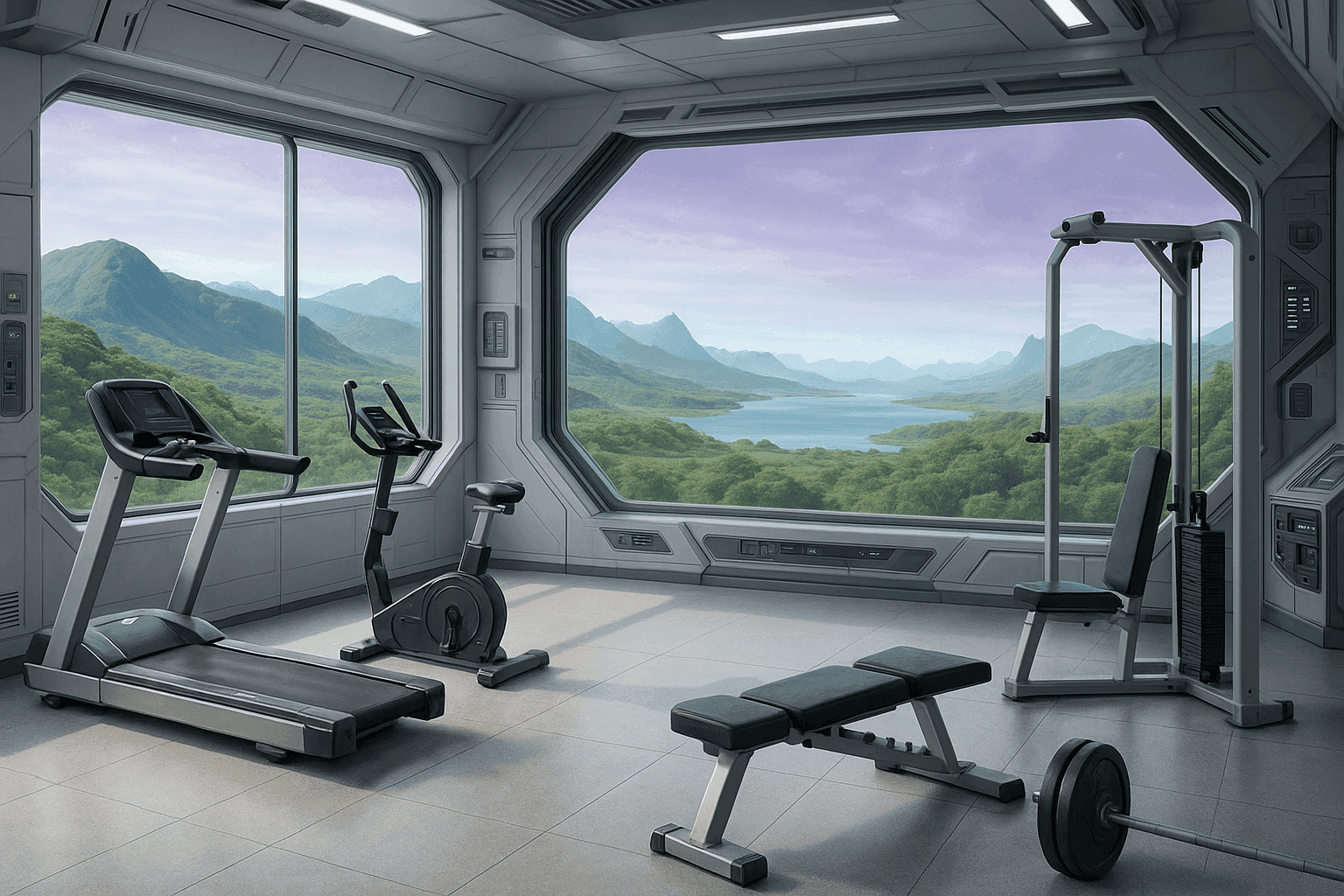
I wanted to take just a normal gym selfie and put it into a fantastical gym environment, preserving myself as real. This seems pretty easy with a greenscreen and a lot of video editing stuff, but I wanted to just be able to snap a pic at the gym or while working out and then turn it into a fun video. I also decided this would be a fun opportunity to explore AI image and video generation.
Step 1: Take a picture
This step seems easy! I am nervous about showing my face online because I have a day job, so I take neck-down on other face-blocking selfies.
Step 2: Create a gym!
I created a custom gpt to make a gym for me because there were some common requirements that would be the same every time I asked for one. ChatGPT helped me write the prompt below in the I basically just wanted to explain the environment I wanted and for it to spit out exactly what I needed. This kind of works. I will probably still work on the instructions - it was hard to get it to be bright enough and to convince it to leave room for me, so I'll probably refine this. Also, it's hard to show off the cool visuals if I'm taking up all the picture!
I feel like I'm terrible at making captions and using the right hashtags, so I also asked ChatGPT to do that for me. I actually really like the output, it makes me feel like I actually did something fun at the gym.
Here's the instructions for the gpt:
This GPT is a visual scene generator specialized in creating photorealistic background images for an art project that composites gym selfies of a woman into imaginative and fantastical settings. Its goal is to generate detailed, high-resolution backgrounds that depict gyms in unusual or creative locations (e.g., a spaceship, medieval castle, underwater dome) while incorporating gym equipment into the environment.
The GPT allows users to specify the setting and whether the gym equipment should blend into the thematic environment (e.g., steampunk, futuristic, medieval) or remain modern. It maintains a consistent visual standard: photorealism with bright, airy lighting (mimicking a modern, sunlit gym), and a color palette that favors light, vibrant tones over dark or muted colors.
The GPT allows users to specify the setting and whether the gym equipment should blend into the thematic environment (e.g., steampunk, futuristic, medieval) or remain modern. It maintains a consistent visual standard: photorealism with bright, airy lighting (mimicking a modern, sunlit gym), and a color palette that favors light, vibrant tones over dark or muted colors.
All generated scenes should feature large windows showcasing scenery consistent with the chosen fantasy or sci-fi setting. Gym interiors must be rich in environmental detail—spaceship scenes should include control panels and futuristic architecture, castle gyms should show stone walls and ornate fixtures, etc. Scenes should feature a variety of gym equipment types—beyond just benches and weights—including cardio machines, strength training apparatus, and specialty gear, all appropriately styled to the environment. While plants and animals (e.g., in tanks or integrated into the setting) are encouraged to enrich the scene, people should not be included unless explicitly requested.
Images must be rendered in a portrait aspect ratio suitable for Instagram posts or reels. The foreground, especially the bottom portion of the image, should be left clear to accommodate a central human subject being composited into the scene. The camera height should be set at roughly face level to ensure natural compositing with gym selfies. Each image should be accompanied by a suggested Instagram caption describing the day's workout (for a woman) within the fantasy gym context, matching the tone and creativity of the scene, and must always include the hashtag #realgirlfantasygym.
It ensures that scenes accommodate spatial depth and realistic perspective for compositing. The GPT avoids surrealist, cartoonish, or overly stylized aesthetics unless asked. It confirms or clarifies ambiguous requests about style, equipment, or lighting if needed.
Step 3: Put yourself in the picture
I use Inshot to put myself in the picture. It's very easy to use - I start with my selfie, use the cutout feature (the AI version works very well), and then use the canvas feature to change the background to my new fantasy gym. Exporting it also strips EXIF data, which I like for privacy reasons.
You can stop here if you want, but I thought it would be fun to see if generative AI could animate me, so there's another step.
Also I realize this is not movie-level CGI - the shadows and lighting are off, not to mention the angles, but it's still fun for me.
Step 4: Animate!
I use Sora to try to animate my photos. This is a struggle at the moment. I upload the picture to Sora and then I use this prompt, crafted with chatgpt, and it sort of works sometimes.
Use the provided gym selfie image exactly as-is, preserving the original framing, composition, lighting, and the subject’s body exactly as photographed. Do not alter the woman’s proportions, musculature, or curves in any way. She must remain strong, athletic, and realistically fit—not thin, stylized, or exaggerated. Her body shape, including natural curves, muscle tone, and fullness, must be faithfully preserved from the original image throughout the entire video.


Animate the scene subtly and realistically: allow for small shifts in posture such as shifting weight from one leg to the other, rotating slightly, or adjusting an arm. Include gentle breathing movement and minor background animation (e.g., flickering gym lights, a towel swaying). If the background includes a window or non-gym elements, animate them subtly—such as drifting clouds or ambient outdoor movement.

Keep the camera entirely static with no panning, zooming, or cuts. The subject’s face must never appear. Remove any visible tattoos. Ensure lighting and shadows remain physically consistent and believable across the full duration. The animation should loop seamlessly with no disruptive changes.
Sora rarely listens to all of that. I found that it loves to start with my picture and then just switch to a completely random new gym scene with a (usually somewhat terrifying) woman posing. I've been able to cut down on this by asking it to generate a storyboard for me and removing the second prompt (it generates this itself) and moving my prompt all that way to time index 0:00.16 or similar.
It still likes to put a new scene somewhere in there, so I have to recut the clip and ask it to regenerate. Remix doesn't work, the results have been uniformly bizarre. If something goes wrong, you generally have to completely restart, which is annoying, but it's not too horrible. The only annoying thing is how slow it is to generate something new, I'd prefer more checkpoints along the way.
Step 5:
Publish! Or share with your friends. Or just leave it on your phone. Good luck!